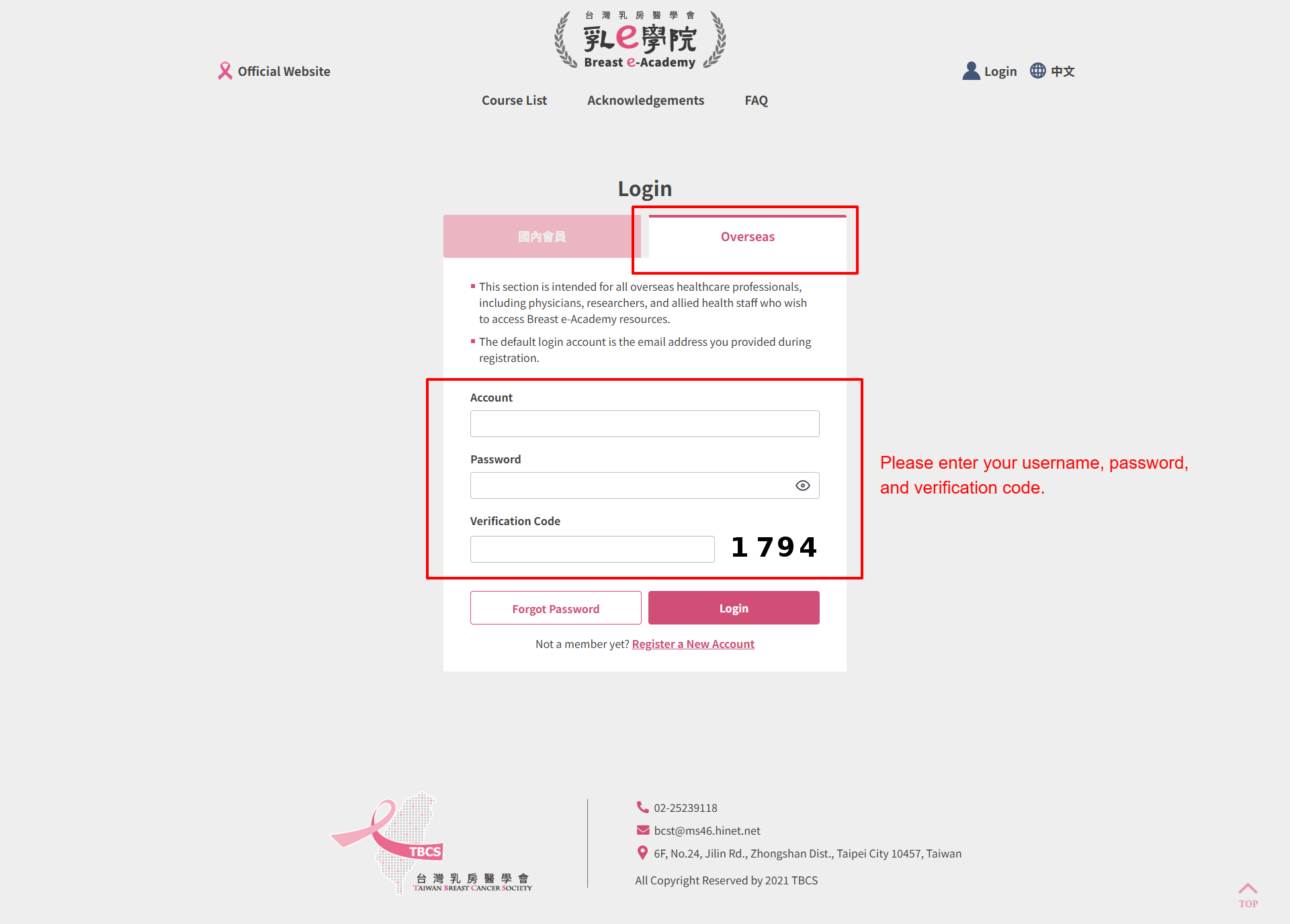
Click "Login" in the upper right corner of the screen.
2
Confirm that "Overseas" is selected.
3
Enter your account, password, and CAPTCHA.
The default account is the email address you provided during registration. The CAPTCHA is a 4-digit number shown on the right.
4
Click "Login".
Forgot Password
Overseas Online Member: Forgot Account / Password
Account: always defaults to your full email address (uppercase letter).
1
Click the "Overseas" tab on the login page.
2
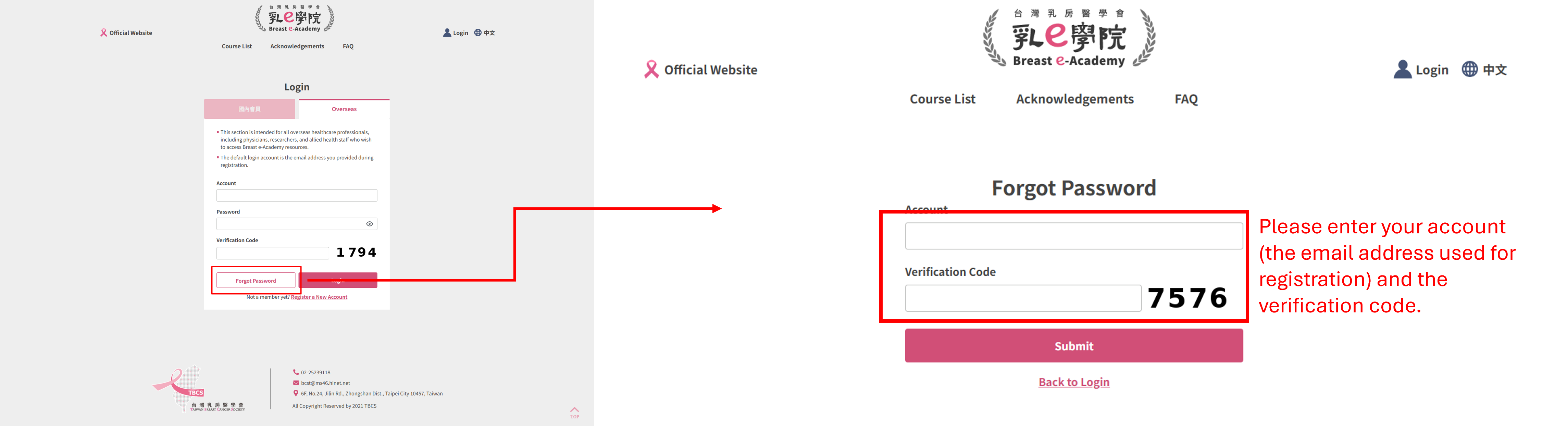
Click "Forgot Password" under the "Verification Code" section.
3
Follow the instructions to enter your information and reset your password.
Registration
Overseas Online Member: Did Not Receive Verification Email
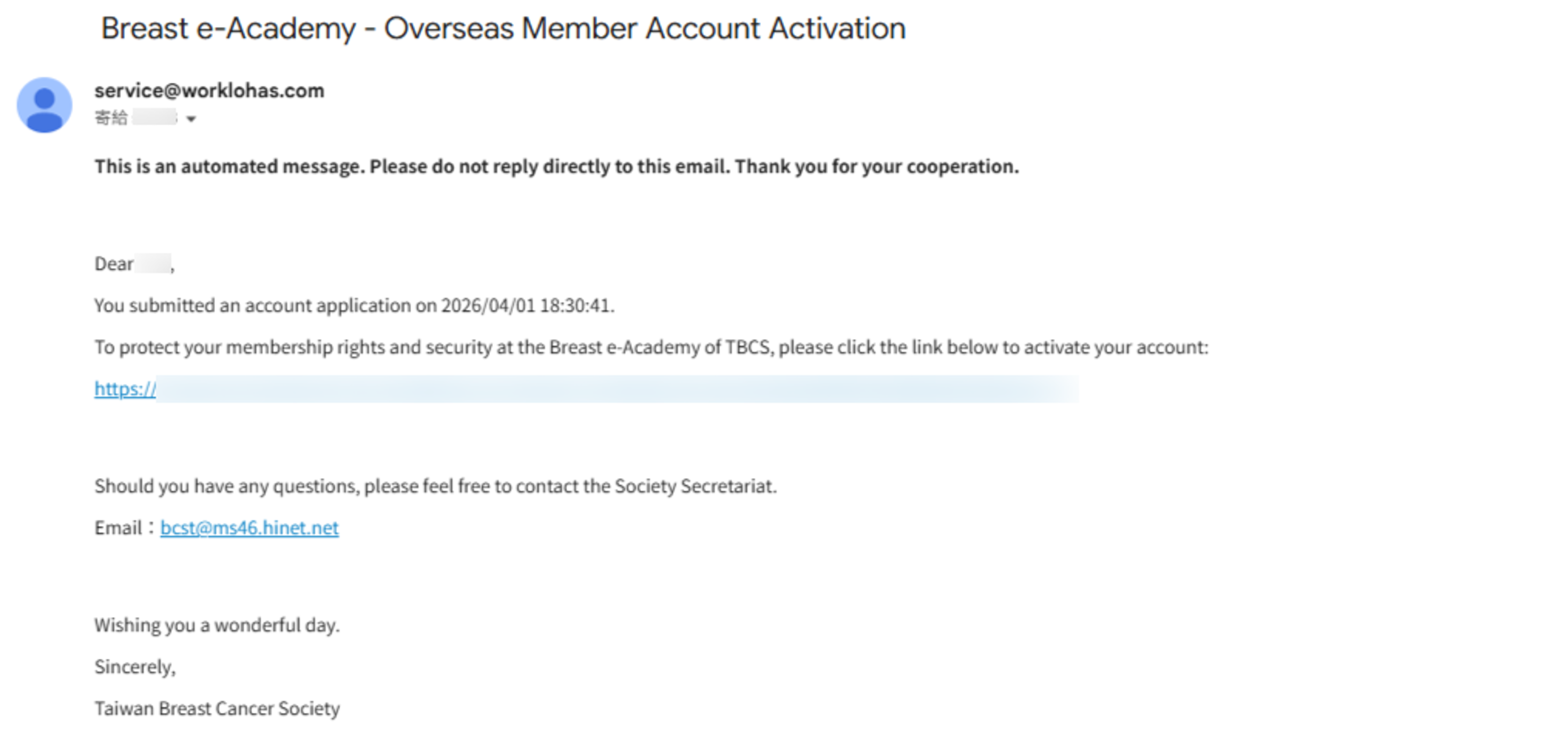
Please search your registered email inbox for the following subject line:
Subject: "Breast e-Academy - Overseas Member Account Activation"
From: service@worklohas.com
If you cannot find it in your inbox, please check your Spam / Junk Mail folder in case it was filtered automatically.